

ROS Interface Files: Configuration Is a Separate Layer
2026-11-04
ROS Interface Files: Configuration Is a Separate Layer
A robot learning exercise can introduce an interface file and a parameter setting on the same page. Both contain names and values, which makes them easy to combine in a learner's notes. They describe different layers of the exercise, however. The current Jazzy documentation offers a useful starting point for separating the communication definition from the configuration of a particular node. This is a reading of those official documents, not an announcement of a new ROS release or a report of a robot experiment.
An interface definition explains a communication structure
The official Jazzy interface documentation source describes message, service and action definitions. These definitions let a reader examine the structure assigned to a communication interface. A field name and its declared type belong to that description; a value observed during a lesson is a separate piece of evidence.
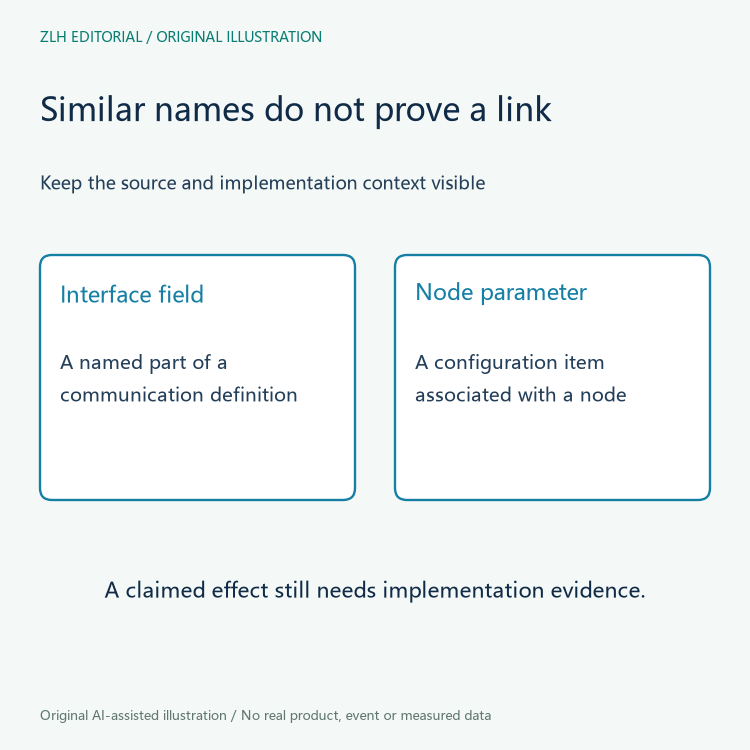
For a learner, a useful reading note therefore identifies the particular definition before describing an example value. Retain the package and interface identity provided by the lesson rather than naming the object only by its visible label in a screenshot. Two fields with similar names need not belong to the same interface, and a screenshot alone may omit the declaration that gives a field its meaning.
The practical implication is modest: begin the explanation with what the definition says. Do not turn a communication structure into an undocumented claim about when a program publishes, which device produced an observation or whether another program received it. Those questions require runtime evidence that a definition file does not supply.
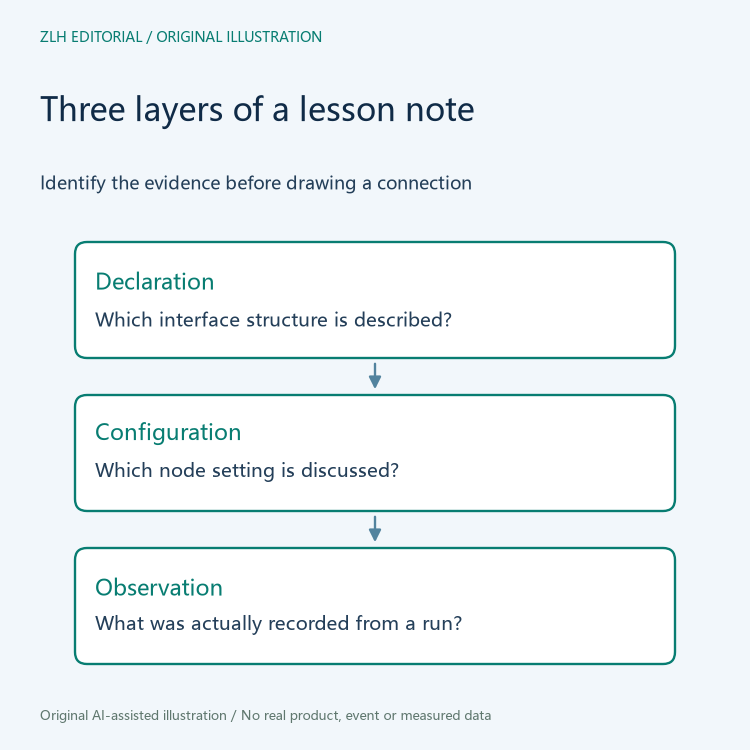
A parameter describes configuration associated with a node
The official Jazzy parameter documentation source associates parameters with individual nodes and describes their use in configuration. The documentation also ties a parameter's lifetime to its node, while allowing a node to implement persistence. That scope matters when an exercise discusses changing a setting or restarting a process.
A lesson note should consequently identify the node whose configuration is being discussed. A familiar parameter name copied from another exercise is not enough to establish that the current node has the same declaration, accepted values or change behavior. The applicable implementation and its documentation remain part of the explanation.
Keep a requested setting distinct from an observation of the running configuration. A configuration file found in a folder shows an intended input; it does not by itself show that a particular run loaded that file. This distinction is an editorial way to organize evidence, not a claim that a real lesson has ignored its configuration.
The two layers can interact without becoming interchangeable
A program may use configuration when deciding how it communicates. That possible relationship does not make a parameter the same thing as a message field. When a lesson suggests such a connection, ask which implementation behavior supports it and what observation would establish that the setting affected the intended run.
Use separate annotations for the declared communication structure, the configured node and the recorded observation. If the relationship is explained only in a tutorial narrative, preserve that narrative as a claim to follow up. Do not invent a measurement or issue a command to fill the gap merely because the diagram would otherwise have an empty arrow.
This article provides no setting values, command sequence or motion instructions. It also does not imply that any configuration change is safe for equipment. Reading software documentation and authorizing a change on a robot are different activities, with different evidence and responsibilities.
Keep the Jazzy reference attached to the explanation
The linked sources come from the official documentation repository's Jazzy branch. A branch is an identified documentation context, not an immutable copy of every line forever. For a reproducible learning record, retain the source location and capture the revision or snapshot used when a detailed comparison matters.
Do not silently combine an interface explanation from that branch with a parameter example from another distribution and call the result a tested lesson. A later page may be useful additional reading, but its distribution and purpose should remain visible. Documentation similarity is not evidence that the local software environment matches either reference.
Write conclusions at the level actually supported
A completed reading note can say that the learner located an interface definition and identified the node configuration discussed by a lesson. It should say separately whether a runtime observation was collected. Absence of such an observation leaves a learning task to perform; it is not a failed robot test that this article can diagnose.
The two original diagrams are conceptual study aids, with no fabricated message values or execution trace. Continue through the robot learning pathways collection and the article directory for related reading. Separating declaration, configuration and observation makes lesson notes more precise while leaving implementation questions open until supporting evidence is available.


